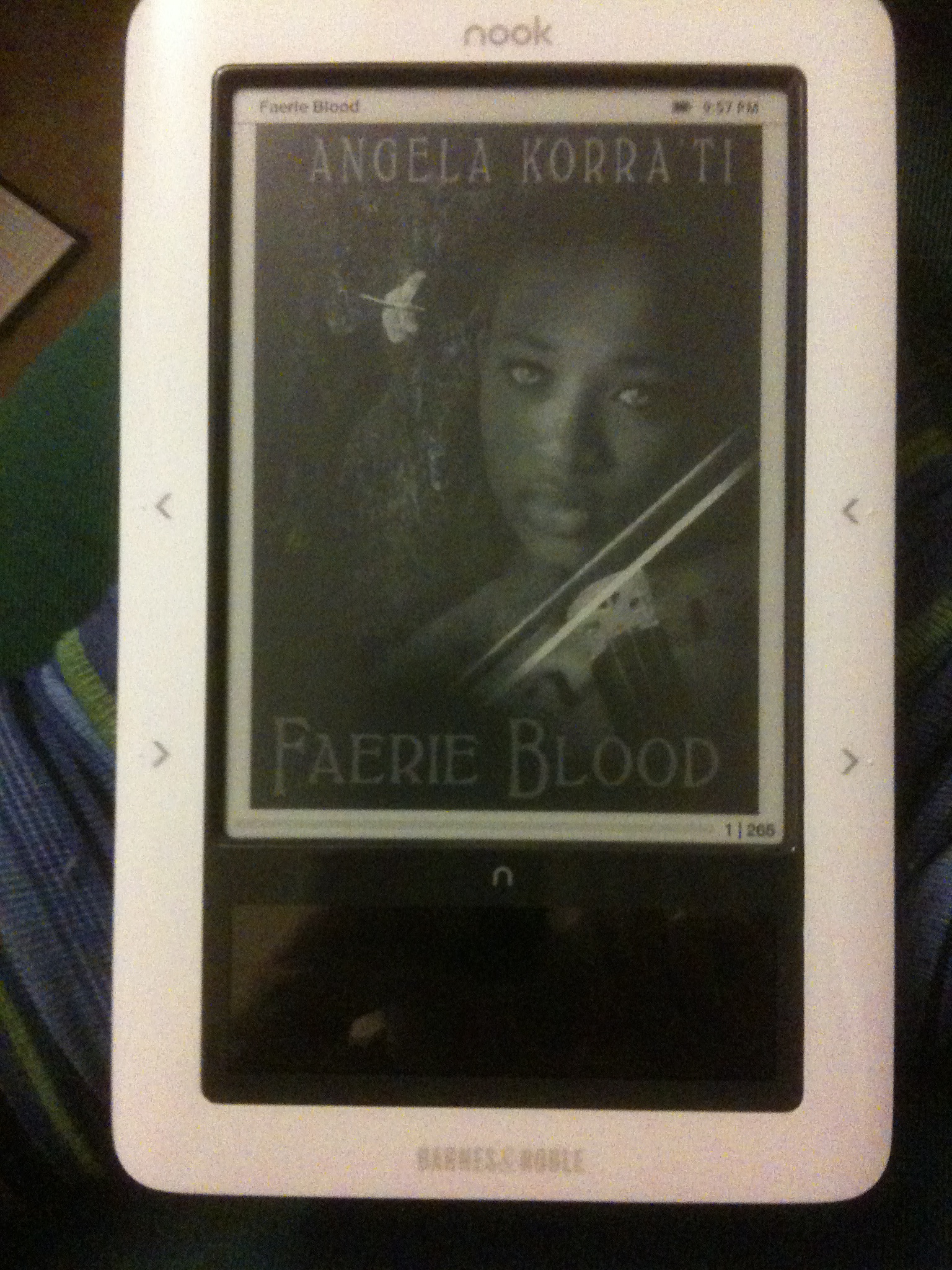
nook nook nookity nook

You are currently browsing articles tagged nook nook nookity nook.

Yule comes early!

I would like to issue public thanks to userinfomaellenkleth for the kind gift of a couple of 32GB memory cards, suitable for use in my nook!

This now means that the Nookronomicon is now outfitted with a TON more space. I’m thinking I’m going to put the Read books on the memory card, since access to files on it is noticeably slower than in main memory–but that’s fine since those will be lower priority books. The Read non-B&N books, anyway; I’m not sure if I want to bother to put the B&N books I’ve read there, since I’ve been just marking those as Archived on the device, which automatically removes them, and if I want them back I can just unarchive them. And I’ve got local copies on my computer.

This should be nifty, though! And now clearly I need LOTS MORE BOOKS to fill out all this nifty space. :D

Thanks very much, userinfomaellenkleth!

Tags: , ,

I would now like to take the opportunity to give props for excellent customer service to both Amazon and Barnes and Noble!

Y’all may recollect that a while back I had an issue with a Kindle ebook I bought being in all italics, and how even though I only asked about it several months after the fact, Amazon gave me a refund anyway. I had totally forgotten about this until this weekend when I was trying to figure out why I had seven dollars of credit on my Amazon account.

“Awesome,” I thought once I rediscovered the receipt for that refund, “I’ll get something else!”

The problem was, the thing I decided to buy was Carbon Leaf’s EP How the West Was One, which I’d completely forgotten I’d already bought from iTunes. Didn’t realize this until Amazon’s downloader thingamabob plugged the files into iTunes and I saw I now had two copies of every song on the thing. Oops. *^_^*;;

So I flung an immediate, sheepish mail to Amazon’s customer service to ask them if a refund was possible. I got an email back saying that normally they wouldn’t do refunds on digital content, but in this particular case they would. Which was excellent of them, and won them an immediate purchase of another thing, an ebook not available for the nook: The Zombies of Lake Woebegotten!

And speaking of my nook, I just had an excellent experience with Barnes and Noble as well.

I was over at lunch just now reading, and discovered that the lower right hand button on the side of the device, the one I normally press to turn pages, had cracked. This has been an issue with the first run of nooks all throughout 2010, and I’m frankly surprised that mine has taken this long to show the problem, given how much I read on the thing. I wasn’t sure if it was too late for me to get a replacement device, given that I’ve had it for nearly a year. But I called B&N up just now and they said yep, I’m still covered under basic warranty, so they’re going to send me another one!

To wit: AWESOME. I’ll need to wipe all the content off of my current one, deregister it, and send it back to them, and should be getting a new one by the end of the week. :D

So props to both Amazon AND Barnes and Noble for treating customers right.

Tags: , , ,

It will or at least SHOULD surprise none of you that since I was handed a raise and a review bonus, in addition to getting my shiny new guitar, I also cut a big swath through my ebook wishlist! Drum roll, if you please:

  • Flirting With Danger, Don’t Look Down, Billionaires Prefer Blondes, Twice the Temptation, and Touch of Minx, by Suzanne Enoch. Romantic suspense. userinfomamishka got me started on these by loaning me a paperback copy of Book 1, so I decided to re-read that one as well as getting the rest!
  • Running Scared, Die in Plain Sight, Innocent as Sin, The Wrong Hostage, and Always Time to Die, by Elizabeth Lowell. Romantic suspense. Re-buys of various Lowell books previously owned in print.
  • Living With Ghosts, by Kari Sperring. Fantasy. Picked up because it was recommended to me!
  • The Little Stranger, by Sarah Waters. General fiction.
  • Darkborn, by Alison Sinclair. Fantasy.
  • Homicide in Hardcover, by Kate Carlisle. Mystery. Picked up because I’m a sucker for mystery series where the protagonist is involved with books and because I saw it sitting on the shelf at Third Place near another author’s books. (There is quite a bit of irony in electronically reading a mystery series focused on physical books and their making and selling, but hey!)
  • Stranger, by Zoe Archer. Paranormal romance. This is the fourth of her Blades of the Rose series and I’m looking forward to ripping through this one!
  • State of Decay, by James Knapp. Urban fantasy. Re-buy of something previously owned in print which I didn’t actually read yet, and also, ZOMBIES!
  • Vicious Circle, by Linda Robertson. Urban fantasy. Bought because Juno Books is a pretty reliable source of urban fantasy with decent heroines.
  • Wilderness, by Dennis Danvers. Urban fantasy (?). Bought because I have previously enjoyed at least one of Danvers’ books and the premise sounded interesting: grad student has to prove to her bio prof that she is, in fact, a werewolf.
  • Territory, by Emma Bull. Fantasy. Bought because it was recommended to me, and because the sample I yoinked down onto my Nook was quite entertaining.

Also, although this is an audiobook it does IMO count:

  • The Truelove, by Patrick O’Brian. Book #15 of the mighty Aubrey-Maturin series, bought because userinfosksouth had loaned me MP3s of this during my breast cancer recovery. I still haven’t listened to it because I haven’t caught up to Book 15 in the series yet, but I wanted to go ahead and buy the actual audiobook. Patrick Tull did an awesome job narrating the audiobook Sarah loaned me of Treason’s Harbour, so I’ll be buying more of these.

That gives me a grand total of 20 books acquired, and brings the yearly total to 363. Also, for the record, my Nook is still not full!

Tags: , ,

It seems Fictionwise is still capable of grabbing my attention, even if a lot of their inventory vanished once the agency model of ebook pricing took effect this past April. This weekend, though, they’re having a big ol’ 50 percent off sale, in effect through Sunday. (Use the coupon ‘spooky2010′.)

Turns out several of the titles on my ebook wishlist were still in their database, so I’ve nabbed ‘em. To wit:

  • A Far and Deadly Cry, by Teri Holbrook. Mystery, re-buy to replace previously owned print copy.
  • Recursion, by Tony Ballantyne
  • Measuring the World, by Daniel Kehlmann. General fiction, was recommended by userinfojanne.
  • Blue Moon, by Cindy Lynn Speer. Ebook re-buy of a print copy I already own, since the print copy is large and unwieldy and I can read the ebook better.
  • Morevi: The Chronicles of Rafe and Askana, by Tee Morris & Lisa Lee. Another ebook re-buy of a print copy I still own, again because large and unwieldy print book I don’t want to carry around.
  • Blood Engines, by T.A. Pratt. Actual purchase of a free PDF I’d gotten before from when Tor.com came online; decided to go ahead and buy this copy since the PDF is 5 MB in size.
  • Mob Rules, by Cameron Haley. Urban fantasy, a recent release from Luna.
  • The Mysteries, by Lisa Tuttle. Fantasy. Picked it up due to a review by Jo Walton on Tor.com.
  • Spellbent, by Lucy A. Snyder. Urban fantasy. Picked up because of her participation in the CoyoteCon panels run by Drollerie Press earlier this year!
  • Total Oblivion, More or Less: A Novel, by Alan DeNiro. This one got a good amount of buzz a while back so I’m finally checking it out.
  • The Tomb of Zeus, by Barbara Cleverly. Re-buy of a book I’d previously owned. Mystery.
  • Deadly Slipper, by Michelle Wan. Mystery.
  • Black and White, by Jackie Kessler and Caitlin Kittredge. Because SUPERHEROES, and because I’ve been meaning to read this one for a while now!

And meanwhile, because it was Absolutely Necessary, I picked up userinfojimbutcher‘s shiny new Dresden Files anthology, Side Jobs, from Barnes and Noble! I bought it in both ebook and hardback, actually–ebook for me, and hardback to give as a present to userinfokathrynt, who will need it to occupy herself before her baby boy makes his arrival in the world Any Day Now, and hopefully as she’s resting after as well. So I get to count that one twice! :D

And OH OH OH I must also add this, since it showed up in my mailbox today: Writing Out the Notes, the new book by Bob Hallett, is another acquisition! That would be the Bob Hallett of my very own beloved Great Big Sea, who’s written himself a combination memoir and musical portrait of St. John’s. I’m quite looking forward to reading it, as Mr. Hallett’s always been the most thoughtful and introspective of the B’ys, based on what they’ve all posted in their various posts on their site.

Grand total for the year: 334!

Tags: , , , ,

I’d been aware for some time that a lot of libraries had embraced the ability to check out ebooks, but not until this weekend did I get around to actually trying it. I was quite pleased to discover that both of our local libraries, the Seattle Public Library and the King County Library System, provide the ability to do electronic checkouts.

Since KCLS is the one I have a card with, I gave that a shot over the weekend and succeeded in checking out both Margaret Atwood’s The Year of the Flood and Justin Cronin’s The Passage. I selected both of these novels because they were specifically available in Adobe Digital Editions ePUB format, and therefore were friendly to my nook.

The process of getting the books onto my nook was less friendly than it should have been, and pretty much went like this:

  1. Check out the book from the library web site and download a small file.
  2. Open up Adobe Digital Editions and then actually launch that small file so ADE could see it. If I tried to doubleclick the file without launching ADE first, then I got an error message that claimed ADE wanted an update it didn’t actually need. The file then opened up the actual ebook so ADE could see it, complete with the timestamp for how many days I was allowed to keep it.
  3. Close ADE and then plug my nook into my Mac via USB, then re-launch ADE so it can see the nook. (This is because I’ve had trouble getting ADE to recognize the nook’s been plugged in if I launch it first. In retrospect I could have saved this step by just plugging in the nook first thing and then launching ADE and keeping it open, but I didn’t think of that at the time.)
  4. Copy the book onto my nook.
  5. Profit Reading!

I’ve been working on reading the Atwood and it looks just lovely on the nook, just like all the other ebooks I’ve read. And I honestly am fine with the DRM in this case, since if you’re going to do electronic library checkout, there needs to be some way of keeping track of how long the library patron is allowed to keep the content. I have no problems whatsoever with DRM in this case telling me “HEY YOU HAVE 18 DAYS LEFT ON THIS KTHX” and then making the book magically go away if I run out of time.

There are still issues here of device compatibility, though. I cannot check out ebooks to my iPhone just because Adobe Digital Editions does not like the iPhone; as I understand it, it’s a matter of ADE being a Flash app and iOS doesn’t do Flash. Or something to that effect. I can however check out to the computer, and from there, as described above, I can copy down to the nook. So that’s all fine.

Less fine is the question of file format. ADE does PDFs as well as ePUBs, and while the nook in theory talks PDF, in actual practice so far PDFs I’ve looked at on my nook come across sloppily formatted. They’re still readable, but it’s a clumsy reading experience and just not as pleasant as reading an ePUB, or a PDF on a device that’s capable of showing it to me as it was actually formatted. This is the nook’s fault, though, not ADE’s. (I suspect that Kindle owners would have a better time with an ADE PDF but I have no firsthand experience with that.)

Anyway, though, once I got the books checked out, that was awesome and I plan to make use of this ability more in the future. I expect it will help a great deal in whittling down my Enormous Reading List of Enormousness.

As a general FYI to Seattle-area folks, here are the pertinent links if you’d like to try out this shiny ebook checkout thing for yourselves:

You do of course need a library card for either system, but hey, library cards are Awesome Things and should be had regardless. :) Enjoy!

Tags: , , ,

Standing down from silent running for this, because I gotta admit, I’m intrigued by this problem. This is how you tell I’m a QA engineer, people: I’m intrigued by the problem to solve, rather than pissed off that a product I’ve purchased is not behaving as it should. ;)

Here’s the backstory. The other day, as y’all may remember from my (endless, I know) reports of what books I buy, I grabbed an ebook copy of Jessica Andersen’s Nightkeepers. When I pulled it down from B&N, though, I noticed that when I tried to open it up in my Mac-side eReader app, I was prompted as per usual for my name and credit card # to unlock it, and then the program immediately crashed. All subsequent attempts to open the book failed, showing me nothing but a blank page 0, and not prompting me anymore to unlock it. I noted as well that three other books purchased on the same day worked correctly.

Note also that this very same book worked absolutely correctly when I tried to open it in three other places: on my Nook, on my iPhone in the B&N app, and when I pulled it into Windows to open it on the PC version of the B&N reader program. This told me, okay, the book itself is not corrupted, it’s readable by other programs. So something about the wrapping on the book just happens to be confusing the hell out of the Mac version of the reader.

I was able to repro the problem again tonight, on three different purchases. Two of them came from the same publisher as Nightkeepers (since the first book I tried tonight was book 2 of that series, Dawnkeepers), which was Penguin. The third, Cyberabad Days by Ian McDonald, was from Pyr.

Barnes and Noble is using the same eReader app, essentially, that Fictionwise uses and which Fictionwise in turn acquired from eReader.com. The main change that B&N has made to it, at least on the Mac side, is to make it able to load epub format books. The version I’ve got is 1.1, the latest version, and the Mac version hasn’t been updated in months. So I’m quite sure that isn’t the problem.

What HAS changed with B&N lately, though, is that they’ve started making all of their downloads be epub format, whereas before they were predominantly using PDB format. So this made me think, “hrmm, so what if I go back and re-download one of my earlier PDB purchases, see if it comes down in epub, and if I can load it correctly?” I was in fact able to do that with my ebook copy of userinfomizkit‘s Demon Hunts, which opened up all nice and shiny-like.

So at this point I’m wondering a few things. One, who does the DRM wrapping? If that’s on B&N to do, it sounds like for some reason, some subset of the DRM wrapping they’re doing is breaking their version of the eReader. Two, what might have changed lately that this problem has only recently cropped up? If it’s because of the shift over to epub files, are there potentially different types of epub files they could be working with that could be breaking the reader app for some books, but not all?

I don’t know enough about the epub format to make a really solid guess, but I thought one of its major advantages was its universality. Anybody out there able to enlighten me on potential gotchas on epubs files produced by different sources?

Now I’ve got four books all exhibiting the problem, but since I’m able to read them on my Nook and iPhone, I’m way more intrigued than I am annoyed that they’re unreadable right now on my computer. It helps as well that really, reading on my Mac is maybe 10 percent of the e-reading I do, at most, so it’s not really an inconvenience, more just an intriguing problem to solve. Yep folks, if books are involved, I can even wear the QA hat when I’m not at work!
Tags: , ,

The Nook Report, Part 2

Now that I’ve had a few days to read on the Nook, here are my thoughts on the experience.

First and foremost, I am sold on the virtue of a one-use reading device for a reason I hadn’t foreseen: if all the device does is show you the books, there’s nothing on it to distract you from actually reading the story. There’s no “oh wait I’ll just check Twitter/Facebook/LJ/my email/the news/etc.” going on. I really like that. It makes reading on the Nook feel a lot more like reading on a real book.

I was pleased to note as well that the screen refresh stopped bothering me. Apparently I’m not the only one this has happened to, so that’s good to know. If you’re thinking of getting an e-ink reader and the initial flash of screen refresh is weird to you, feel free to take this as consolation!

I’m still disappointed with the device’s general lack of book organization, though. The lovely scrollable display of color book covers only works with your Barnes and Noble content; if you’ve got a lot of non-B&N books, like my Fictionwise and Stanza and Drollerie books, then they all get put into your “My Documents” bucket. Which doesn’t have the scrollable cover capability. This is a drag, and I really wish that Barnes and Noble would allow for, at least, treatment of Fictionwise and eReader.com content the same as B&N content, since they do after all own both of those properties.

Really, though, I’d prefer to just see it give you a way to access all your books the same way. One of the reasons I wanted to shift to a reading device was that I found it annoying on the iPhone to have my library spread out through five, count ‘em, five applications. Having the Nook force me to split my library into B&N content and non-B&N content is the same problem, only less severe.

I could do the workaround of just manually sideloading my B&N content to the My Documents directory, sure. But the problem with that is that the display of your content from My Documents is really rudimentary. You get a listing of titles that you can either sort by author or sort by title, and nothing fancier than that; it’s not even visually broken up by first letter or anything.

I did at least discover that the “Reading Now” button on the main screen does take you directly to whatever book you’re currently reading, which is good to know. Before I found that, my only means to get back to whatever book I’m working on reading was to page through the My Documents listing till I found the right file. And since I’ve got 16 pages of files, that’s annoying. The “Reading Now” button is an acceptable workaround until something fancier is implemented, and I really hope something will be. At least, there should be a menu to let you jump to the appropriate letter of the alphabet as I see in several of the reader apps on my iPhone; more elegant would be a little bit of search capability that would let you type in a bit of the pertinent author or title and jump straight to those works.

All in all, despite my issues with the file organization, I’m enjoying the experience of reading on it. It’s very convenient at lunch since I can just lay the Nook on the table in front of me, and it’s bigger and more readable than the iPhone. It’s also easier to manipulate, for me; I find the pinching of the side to turn a page nicer on my hands than having to tap the iPhone’s screen, especially one-handed. (Thumb-tapping on the iPhone one-handedly, I have discovered, weirdly strains the muscles at the base of my left thumb.)

I haven’t yet tried its music playing capability and probably won’t, since the iPhone has that functionality covered nicely and I’m used to having a tiny music player nestled in my pocket. Plus, again, don’t need the distraction from reading! Apparently there are folks who can read and listen to music at the same time, but I’m not one of them.

Tags: ,

Nookish goodness arrived at my house today! Therefore, as promised, here’s my overall initial review post.

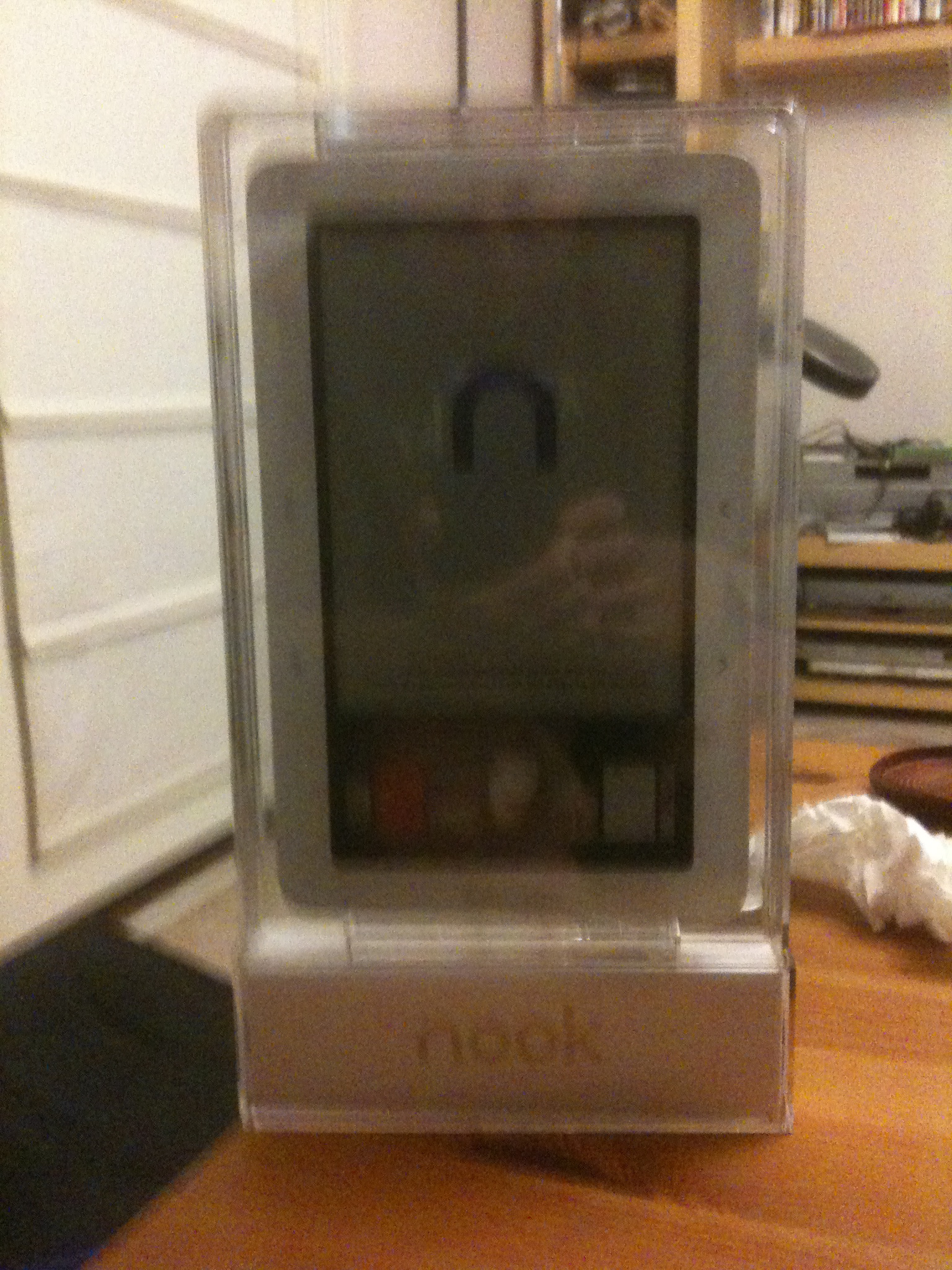
First and foremost, y’all may have heard that the Nook comes with insanely complicated packaging. This is absolutely true. When you first get into it, there’s a little slip of paper that has–I kid you not–a seven-step procedure for freeing it from the various layers of packaging around it. This all had the advantage, I suppose, of making damn sure that it got to me intact. But when you have to have special instructions for actually unpacking the thing, I think they might have gone just a touch overboard, y’know?

My reaction on getting it out of the first layer or so though was “It’s a Microsoft Ship-It award!” Because it looked like this, you see:

I had to get userinfospazzkat‘s help to actually liberate the thing; he’d already done the same with his own nook, and his hands are stronger than mine, so he was able to do the last couple of steps to pry the thing out of its plastic support tray. Once that was done, I was able to do the fun part: powering it up, getting its updates on it, and most importantly, firing up the books.

Overall I like the design and look of it. Once I put it in its cover, it’ll be about the size of a small hardback book, and not so heavy that it’ll be onerous to carry in my backpack. I’m not much of a fan of the way the screen flashes when you turn a page, but other than that, I find the e-ink very readable, at least in direct light. It’s not as useful in low-light conditions, so this may be an issue when reading on the bus after dark. I may have to resort to the iPhone as backup reading device then. I am also amused that its default screensaver is the various pictures of authors that anybody who’s ever been in a B&N store will remember as being the artwork on the walls. I like that enough that I’ll probably keep it, for now.

It downloaded updates on its own, which was nice, and it cheerfully went and got all of the ebooks I’ve already purchased from the Barnes and Noble ebook store. This was I admit a trifle confusing UI-wise, since I’d set some of my books as “archived” because I’d already read them, and got confused because I had to tell the thing to go ahead and download those–but I didn’t have to do that with the rest of them. But it was all good in the end.

Getting all my non-B&N content onto it was super easy. You can plug it into a USB port and have it mount as a drive, which is lovely. You can then dump as many files as you like in whatever directory structure you like onto it, which is also lovely. But there are several organizational issues with how the device actually shows you the files, to wit:

  1. Whatever directory structure you use is entirely irrelevant, because the actual device will just do a flat display of all the files it finds; it doesn’t care about your folder structure.
  2. There is currently no way to organize your titles past “sort by author” or “sort by title”, in the “My Documents” section; in the “My Library” section, where the B&N content resides, it’s a little nicer and you also get “Most Recent” as a sort option. But what I would really want to see here is the ability to mark a book as Read somehow, whether that be by a tag or by moving it into a Read folder or what.
  3. After looking at the lovely lists of titles and cover thumbnails in the iPhone’s various reader apps, the black and white file list is really kind of boring to look at. But this is only a mild objection on my part since the tiny cover thumbnails would lose something on this display and not really be worth displaying.
  4. A lot of my PDF files are coming through with really weird mangled names. I don’t know why that is, if it’s a metadata problem on them or what. I may have to see if I can fix those in Calibre or something.

Tomorrow I’ll give it a good test run with actual reading, and report back on that. So far at least I’m favorably inclined to it, but man, I hope they improve the organization of files on the device in future firmware releases.

And oh yes, I also had to take a picture of this, because Kendis says hi:

Tags: , ,

But the Amazon vs. Macmillan brouhaha over the weekend has pretty much bumped up the priority on this: I just dropped my first round of shiny royalties on a Nook. The actual device and a pretty cover to put it in pretty much comes to roughly the amount of royalties I got, and that’s quite fine with me. Barnes and Noble thinks it’ll ship probably around the 12th, so it’ll be a couple of weeks before Nookish goodness actually reaches my house; this too is fine, since it ain’t like I’m lacking for things to read.

(Technically, I am not going to spend those exact moneys on the device, I think–just because it’ll be nice to keep them in the account they’re sitting in, quietly gathering interest. I’m actually paying for the thing out of my primary account. But I figure that as long as I have the money, I don’t really give a flying damn what account it comes out of. The important thing is, shiny candy-like buttons! And ebooks!)

I’m also feeling the need to show Macmillan authors some solidarity, so I think my next round of ebook buying is going to be all Macmillan authors! I need to round out my John Scalzi collection anyway.

Since the cover I wanted isn’t actually available yet (a nice leather green one with an embossed quote about how a good book is the best of friends), I have instead selected the punctuation-themed one with a big ampersand on the front and a question mark on the back. This has the added bonus of being nethack-y, and will likely make me do a double-take the first few times I read something on the thing, thinking “AIGH THERE’S A DEMON ON MY NOOK”. Or, if I look at it from the back, wondering if I’ve actually identified this scroll yet.

Tags: , , ,